
💸 Why I Built the MHX Expense Tracker (and Why You Might Need One Too)
If you run a small business, side hustle, or even just do a bit of work on the side — you’ve probably let a few receipts slip through the cracks.
We all do it.
You buy a tool, pay for a subscription, fill up the ute, or grab something for a client job — and before you know it, those little expenses stack up. By the time tax time rolls around, you’re guessing numbers, scrolling through bank statements, or handing your accountant a pile of unlabelled receipts.
That’s not good for business — or your bottom line.
🧾 What You Track, You Can Control
I built the MHX Expense Tracker because I needed a clean, quick way to stay on top of what I was spending. Something between “doing nothing” and paying $70+ a month for Xero or MYOB when you’re not even invoicing that much.
This tool is built in Google Sheets and Excel. No subscriptions. No learning curve. Just a lean, local setup that gets the job done.
⚙️ What It Actually Does
This isn’t one of those over-engineered spreadsheet monsters with 30 tabs and pivot tables you’ll never use. It’s a simple layout that gives you just the right level of visibility.
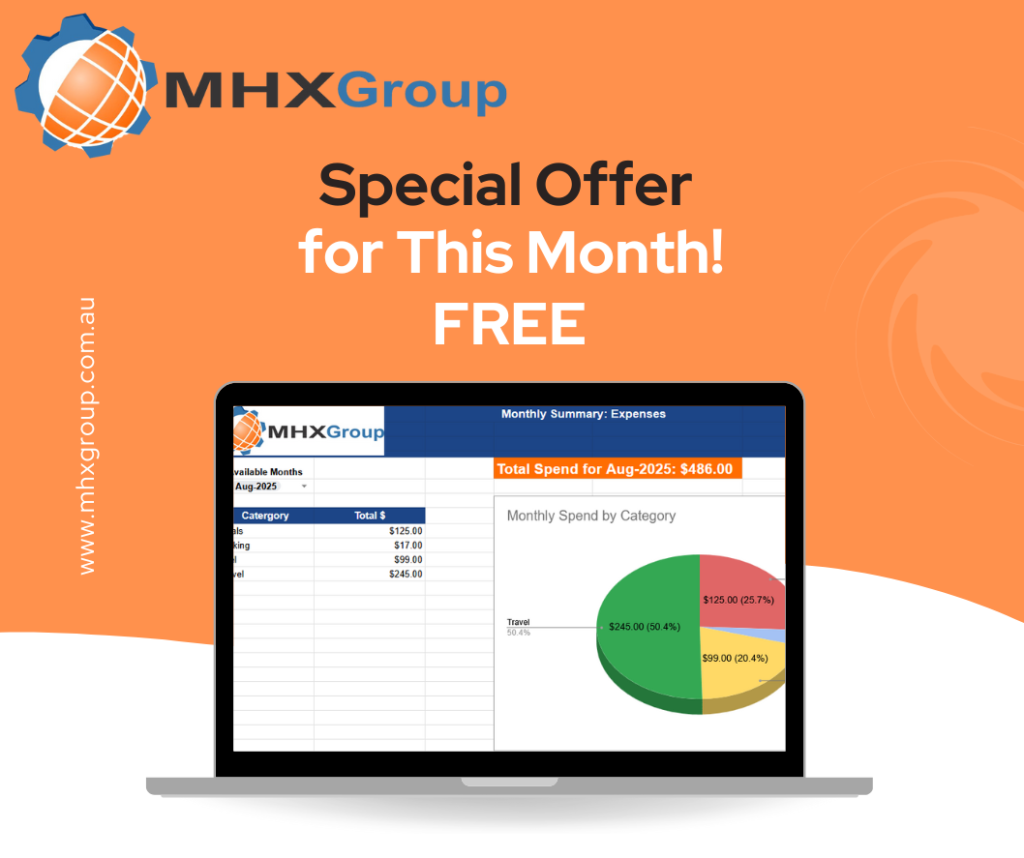
Here’s what’s included:
- Expense Log: Drop in each expense — date, amount, category, GST, notes
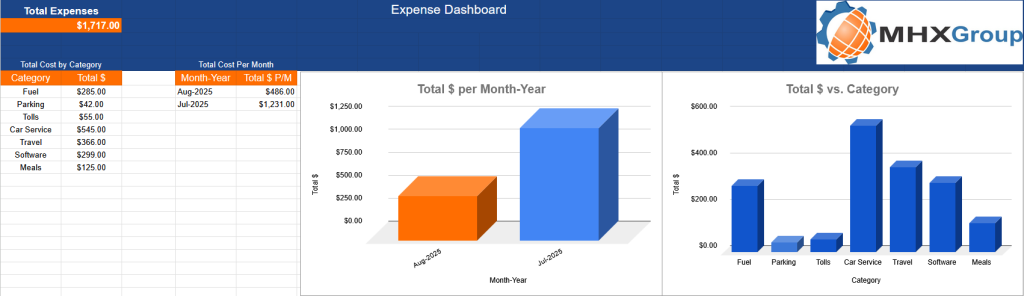
- Dashboard: Auto-generates monthly summaries, pie + bar charts
- Expense Summary: Totals by category and month for fast review
- Settings Tab: Add custom expense types, tweak tax rate, edit dropdowns
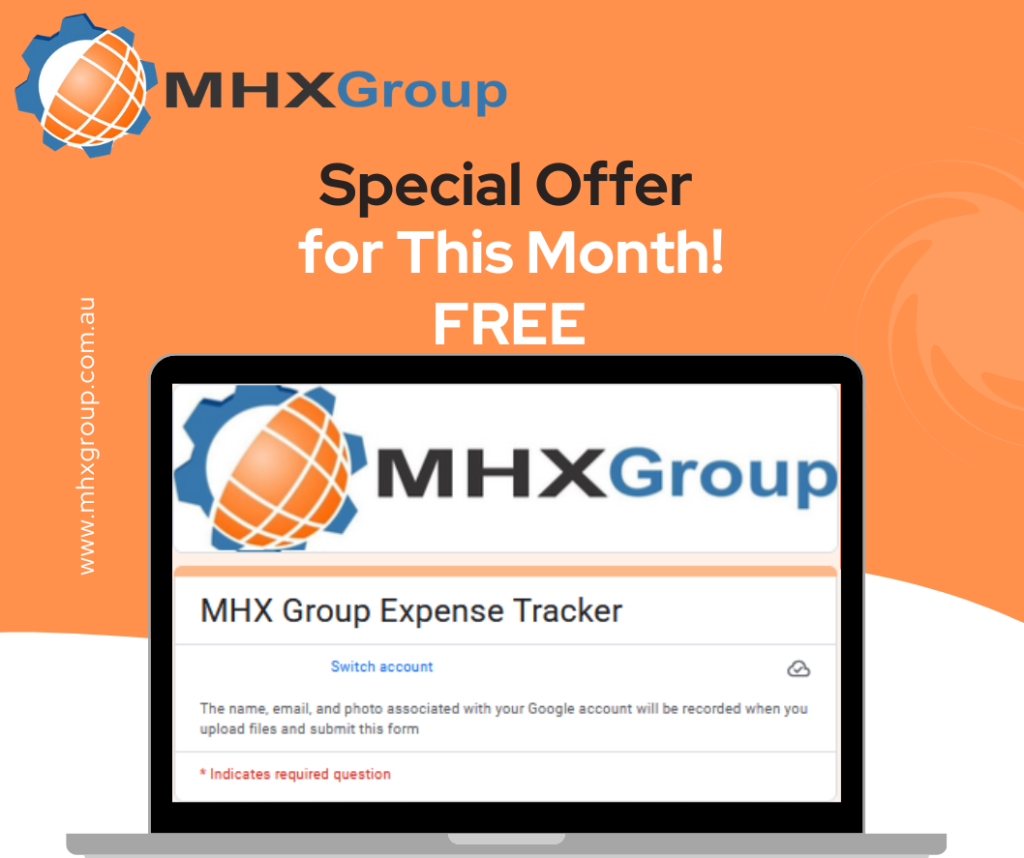
- Google Form Ready: Log expenses straight from your phone on the go
Whether you’re a tradie, freelancer, or small operator, this gives you a clean view of your costs in under 10 minutes a week.
🎯 Who It’s Built For
This is perfect if you:
- Run a side hustle or sole trader gig and don’t want full-blown accounting software
- Are starting out and want to track business costs properly from day one
- Work seasonally or irregularly and need something you can dip in/out of
- Want to prep clean numbers for your accountant without backtracking
- Need something mobile-friendly without apps or paid tools
It’s not built for big businesses or teams — it’s for everyday Aussie operators trying to stay profitable and stay organised.
🧠 Why It Works Better Than Just “Winging It”
The problem with guessing your expenses or trying to fix it all at tax time is this:
- You miss legitimate deductions
- You overspend without noticing
- You stress at EOFY because nothing adds up
With the MHX tracker, you’ve got a tool that actually helps you run your numbers month to month, not just once a year. You’ll start to see where your money’s going — fuel, tools, software, fees — and make smarter calls as a result.
Plus, the dashboard gives you a quick visual every time you open it. No fluff. Just the info you need.
📦 How to Use It
- Copy the file (Google Sheets or Excel)
- Customise the settings tab with your expense types
- Start logging expenses — either manually or via the mobile-friendly Google Form
- Check the dashboard weekly or monthly to stay on track
- Export or share with your bookkeeper if needed
Takes 5 minutes to set up. No account required. No recurring cost.
💬 Why I’m Making It Available
This is the exact file I built to run MHX lean. I’ve used it to track software tools, fuel, machine parts, even random subscription trials. It keeps me accountable without slowing me down.
If you’re trying to stay lean and don’t want to spend time (or money) on something overbuilt — this is a good middle ground. Use it as-is, or tweak it to fit your setup.
🚀 Grab the MHX Expense Tracker
👉 Click here to view the product
You can use it standalone or pair it with the MHX Vehicle Logbook if you also track car usage.
Final Thoughts
At the end of the day, you can’t manage what you don’t track.
The MHX Expense Tracker gives you visibility without the headache — and it pays for itself the first time it saves you a missed deduction.
Frequently Asked Questions
Simply reach out to our team,if the answers to your questions are not answered below
Is the MHX Expense Tracker ATO compliant??
Yes — it includes fields for GST and expense categories aligned with Australian tax expectations.
Can I use this with my accountant?
Absolutely. You can export it or share access. It’s clean and easy to read.
Does the dashboard update automatically?
Yes — as you enter expenses, the charts and summaries update in real time. No need to refresh or run formulas manually.
Do I need a Google account to use it?
Only if you want to use the Google Form feature. Otherwise, Excel version works fine offline.
Can I use this for personal budgeting too?
You can. Just tweak the categories to suit your needs — it works just as well for tracking household or personal expenses
Have additional questions?
We’re here to help. Let’s talk.